Explore a guide to 3D collaboration tools for designers and engineers, including Surfee, to enhance efficiency across modeling, review, and team communication.


A Guide to Collaboration Tools for 3D Designers and Engineers
Industrial design involves multiple stages, from ideation to final prototyping. This process brings together 3D designers, engineers, marketers, and project managers. Clear and efficient communication is essential to successfully navigate such complex projects. In particular, 3D modeling requires continuous revisions based on feedback from multiple stakeholders, making it critical to minimize inefficiencies in file sharing and feedback loops.
While document collaboration and 2D design have widely adopted tools like Figma and Notion, the 3D space has historically faced limitations due to technical complexity and large file sizes. Delays and version confusion during 3D file sharing are common challenges many teams encounter. Fortunately, a range of collaboration tools designed for 3D data has emerged recently. This article explores various categories of these tools for 3D designers and engineers and offers guidance on selecting the best fit for your team.
Categories of 3D Collaboration Tools
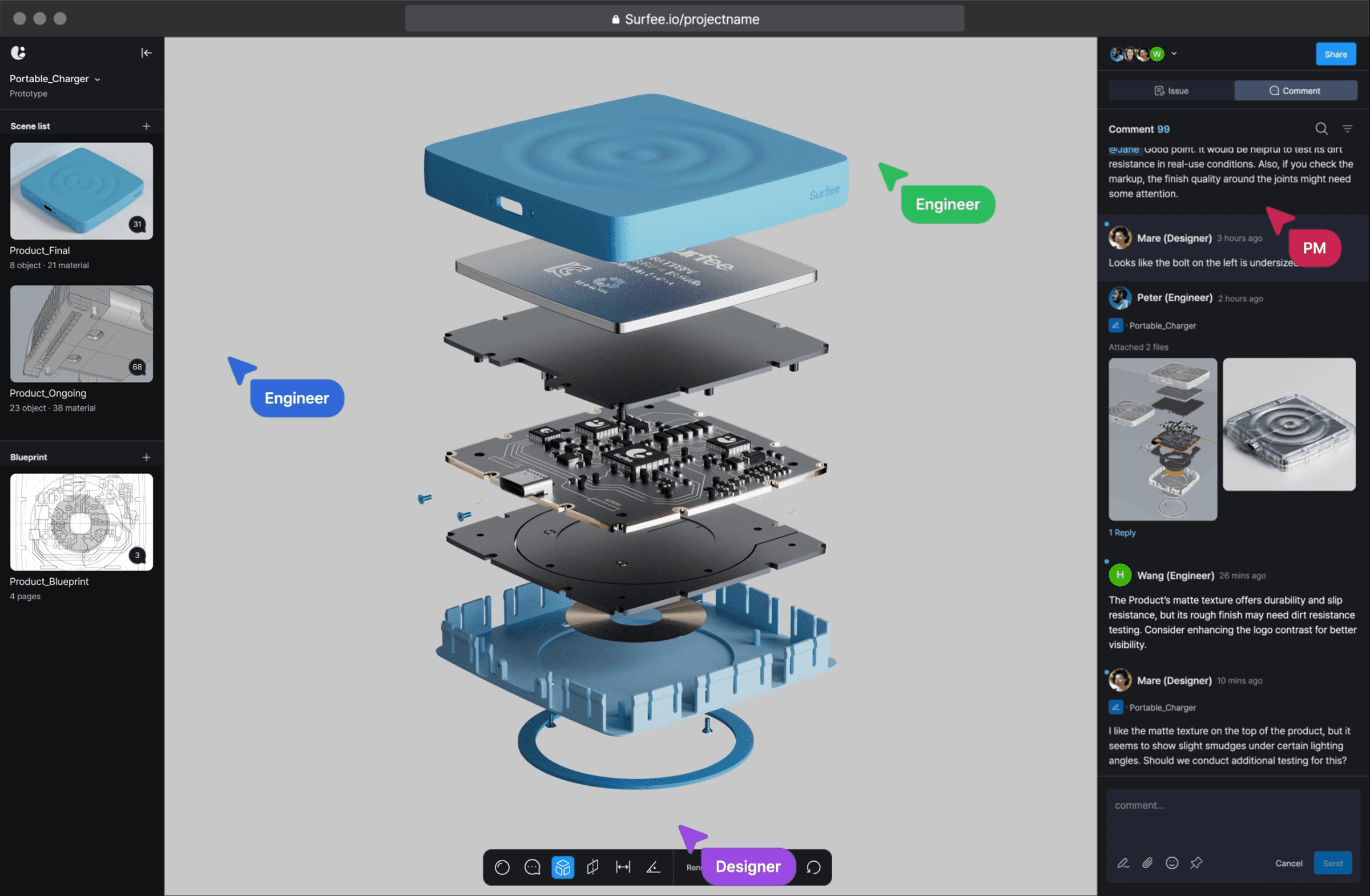
3D collaboration tools can be divided into four main categories based on their purpose and functionality:
Viewer-Based: Tools focused on quickly viewing and sharing 3D models via web browsers.
Engineering-Focused: Tools specialized in precise review of CAD models, dimensions, tolerances, and structures.
Designer-Focused: Tools that enhance visual quality and facilitate feedback centered on design elements.
Integrated Collaboration Solutions: Tools that streamline the entire workflow, from 3D modeling to visualization, feedback, and version control.
Features and Strengths of Each Tool
Viewer-Based (Quick Viewing and Sharing)
Autodesk Viewer: A familiar tool for users of Autodesk’s ecosystem. It supports over 100 2D and 3D file formats, enabling fast and easy file viewing and sharing on the web. For 3D designers and engineers working within Autodesk’s suite, it’s often the go-to choice. Teams can use it to view models and provide initial feedback without needing installed software.
Site Link: Autodesk Viewer | Free Online File Viewer
3D Viewer MAX: A versatile viewer supporting various 3D file formats. It focuses on straightforward viewing and markup, offering an intuitive experience. This tool is ideal for teams needing to share and review 3D models quickly. Trying it out can simplify your workflow significantly.
Engineering-Focused (Precise CAD Review)
Creo View: Tightly integrated with PTC’s Creo platform. It loads large CAD datasets quickly and enables detailed review of engineering drawings. It’s particularly appealing for engineers handling complex mechanical designs or assemblies. Testing it can help catch design errors early.
CoLab: A collaboration tool tailored for manufacturing R&D teams. It allows teams to upload CAD files, track design changes, and manage engineering-focused feedback. It helps reduce common trial-and-error issues in design reviews, streamlining the process.
Designer-Focused (Creative/Visual)
RealityMAX: Widely used in architecture and interior design, it excels in vivid rendering and real-time viewing. Its VR capabilities allow clients to experience virtual spaces and provide feedback, making it appealing for designers. Exploring VR feedback can lead to more engaging client responses.
Site Link: 3D collaboration platform, 3D/AR export • RealityMAX
CADchat: Enables real-time rendering and collaboration on complex 3D data via the web. It’s particularly effective for design processes involving multiple departments, boosting communication efficiency. Adopting real-time collaboration may noticeably speed up interactions.
Site Link: CADchat Homepage | CADchat
Integrated Collaboration Solutions
Surfee: A 3D product collaboration tool that bridges engineering and design disciplines within a single platform. It allows designers to share visually rich 3D models instantly on the web, significantly improving communication with marketers or clients. Engineers can perform precise technical reviews, such as measuring dimensions or examining cross-sections, on the same model. By combining 3D modeling, visual quality, and collaboration, Surfee supports a cohesive environment where diverse teams can work together seamlessly, contributing to a more efficient workflow.
Choosing the Right Tool for Your Team

Each 3D collaboration tool is tailored to specific needs, so identifying your team’s workflow and priorities is key. For small teams, a viewer-based tool like Autodesk Viewer can make collaboration surprisingly straightforward.
If quick sharing is the priority: Teams needing simple 3D file viewing and sharing without complex features should consider viewer-based tools.
If precise technical review is critical: R&D or engineering teams focused on detailed CAD analysis and design change tracking may find tools like Creo View or CoLab more suitable.
If visual communication matters: For teams aiming to impress clients with realistic rendering and immersive visualization, RealityMAX or CADchat are strong choices.
If streamlining the entire workflow is the goal: Teams requiring close collaboration across design, engineering, and marketing on a single platform should explore integrated solutions.
In conclusion, as 3D collaboration tools become more accessible, finding the right fit for your team’s workflow can significantly reduce inefficiencies. Solutions like Surfee, which simplify cross-departmental communication, can accelerate project timelines. Exploring these tools—perhaps starting with a free demo—can reveal opportunities to enhance your process.